Free · Open · Real websites only

Find the interface.
Build the feeling.

BITON is a free, open library of real, working websites — for people and AI agents. Every card below opens a live site you can click through. No fake counts, no paywall, no sign-up.

16 live sites · 13 websites · 3 mobile apps · 1 MCP · $0, free forever

AMJ+
16 live sites. Free forever, for curious builders.
biton.is-a.dev
•••
Explore inspiration✦ Curated
All workLive websitesMobile apps
DRIFT / VERTICAL VIDEO

Short video,
that keeps going.

Six clips. One vertical feed.
DriftLive website
FITNESS

Fitness that
fits your week.

One clear view of everything.
Pulse FitnessLive website
RAIL / SLOW TRAVEL

Rail journeys,
slowed down.

A considered site for slow travel.
NorthboundLive website
YOUR NEXT IDEA STARTS HEREOne good find.

A common language for people who make things

DESIGNERSdevelopers✳ FOUNDERScreative teamsMAKERS®
Not another moodboard

Inspiration is easy to find.
Good direction is harder.

BITON brings useful interface references into one focused workspace, so you spend less time hunting and more time making.

▧

A library with a point of view.

Browse real, working websites by type — live sites and mobile app UIs. Less noise, better references. Every card opens the real thing.

biton / collection
DriftLive website / Vertical video
Pulse FitnessLive website / Fitness
Vault BankMobile app / Banking
NorthboundLive website / Travel
16 LIVE SITESOPEN ONE ↗
⌁

See the pattern.

Understand the layout, hierarchy, and details that make an interface feel right — then check the real palette on every card.

⌕

Find it faster.

Search by what you are building, not just by what looks pretty. And if you build with an AI agent, the MCP gives it the whole code.

⌕   get the whole code of pulse-fitness
The library

Good ideas have a way
of finding each other.

Every card below is a real, working site. Search or filter to find a starting point, then open it and click through.

16 live sites

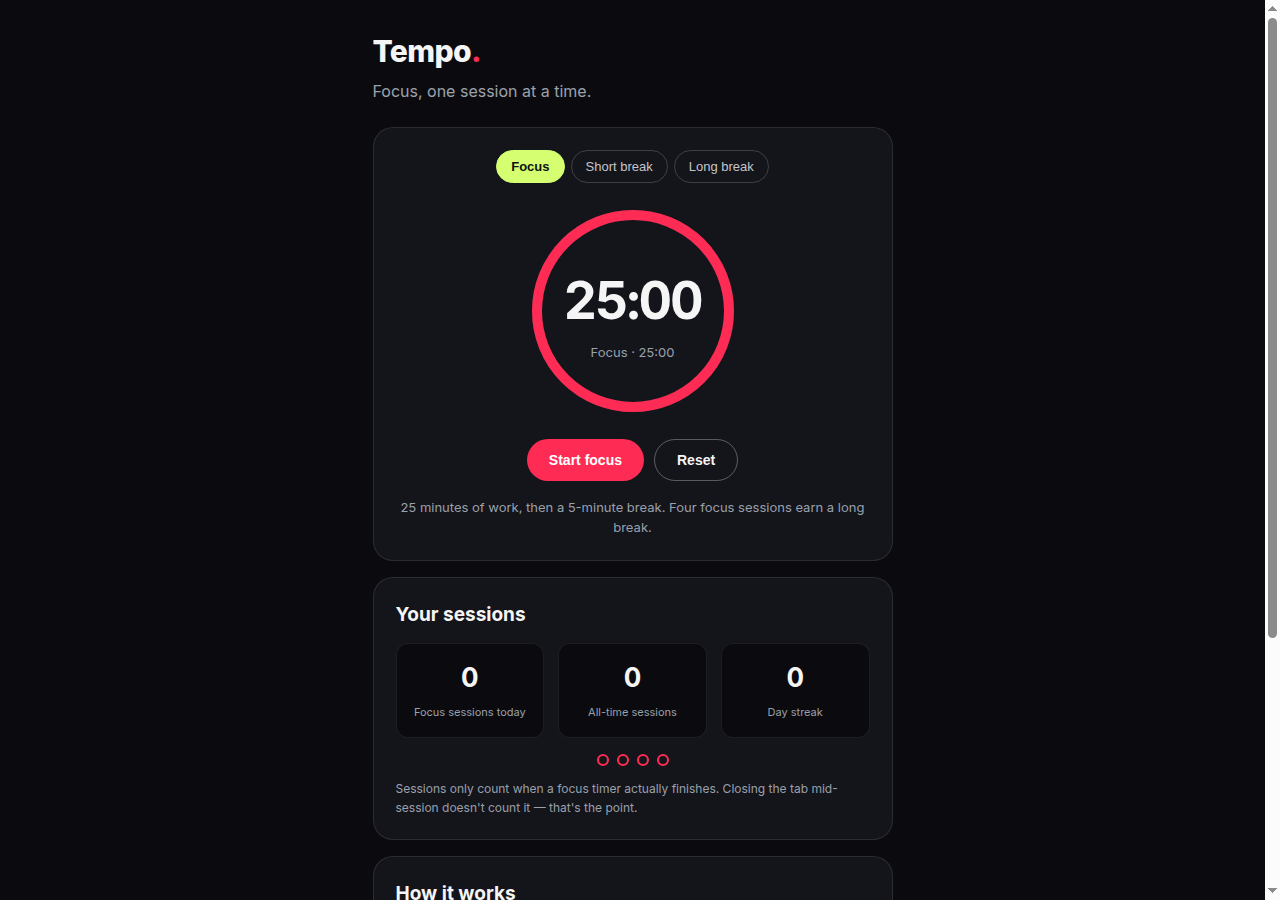
Tempo focus timer screenshot
TempoLive website
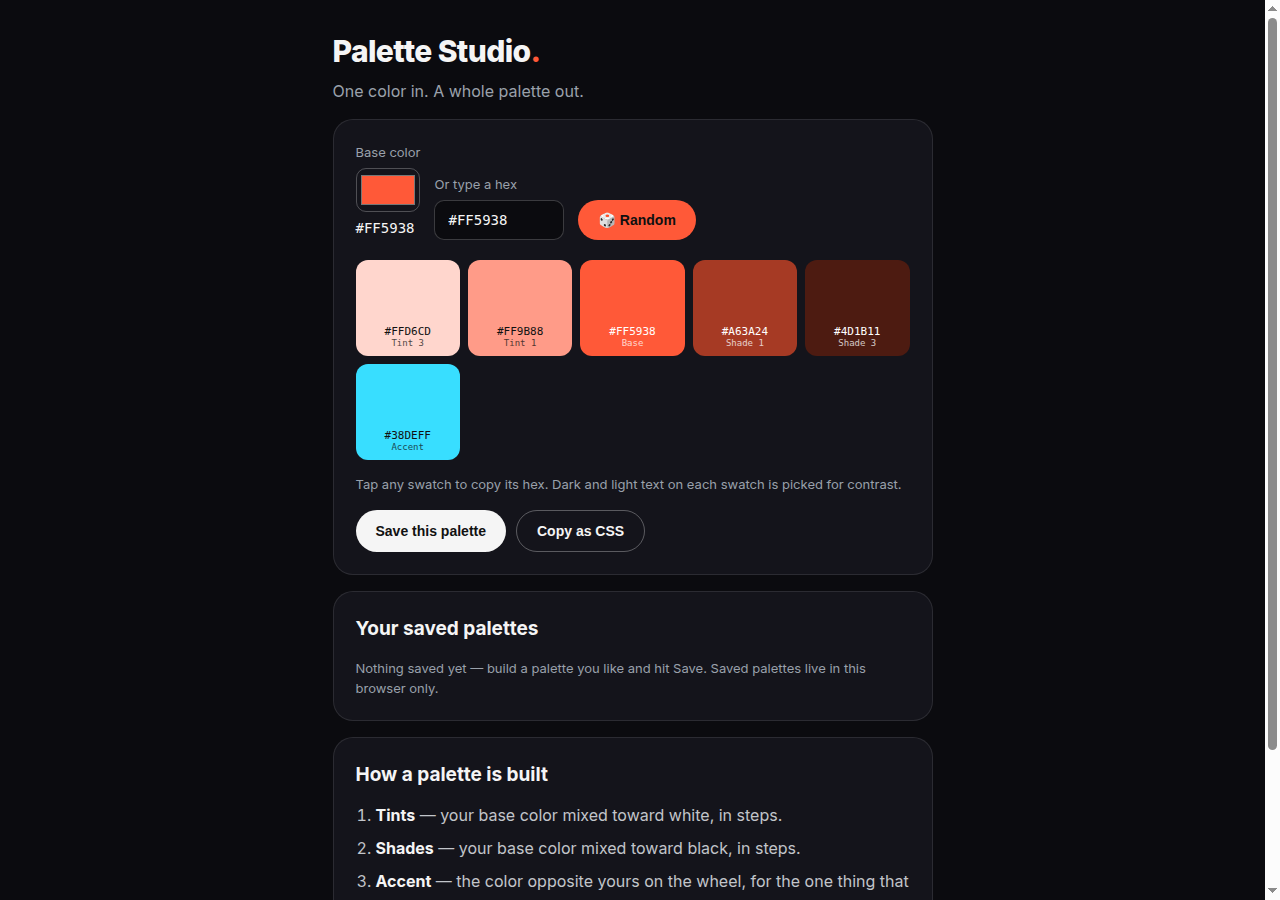
Palette Studio screenshot
Palette StudioLive website
DriftLive website
No matching sites. Try a different search.
Add a page, get a card. Drop a .html file into sites/ (or categories/<category>/), redeploy on Vercel, and it shows up here as a card on its own — no home-page edit needed. Its clean address is /<file-name>, for example /pulse-fitness.
Flows — what you actually do

Follow a job
from start to finish.

CRAVE · FOOD DELIVERY

Order food

1 · Browse restaurants
→
2 · Pick a dish
→
3 · Cart & checkout

Search, menus, a cart that adds up live, and checkout that creates a real order with a timestamp.

Open Crave ↗
VAULT BANK · MOBILE BANKING

Check your money

1 · See your balance
→
2 · Send money
→
3 · Freeze a card

Send drops your balance and adds the transfer to Activity. Freeze and unfreeze actually work.

Open Vault Bank ↗
STREAK · HABIT TRACKER

Build a habit

1 · Pick a habit
→
2 · Check in daily
→
3 · Watch the streak grow

Real-date streaks — nothing fills in until you actually check in.

Open Streak ↗
Colors

Every palette, copyable.

The real palette of every live site. Tap a swatch to copy its hex.

A calmer creative process

Spend less time
searching. More time
shipping.

The goal is not to copy someone else's work. It is to notice the decisions, collect useful patterns, and make a better version for your own project.

Explore the workflow →
16Live sites and mobile app UIs you can open
13Live websites, from Drift to Northbound
3Mobile app UIs — Vault Bank, Apex Fitness, Crave
$0Free. No paywall, no sign-up, no fake counts
A simple loop

From reference to reality.

01 / DISCOVER↗

Explore with intent.

Start with a category, a style, or a problem you need to solve. Find references that have a reason to be there.

02 / UNDERSTAND↗

Break down the details.

Look at spacing, type, hierarchy, and interaction. Save the decisions, not just the screenshot.

03 / CREATE↗

Make it your own.

Use what you learned to shape an interface that fits your product, audience, and constraints.

For AI agents

Your agent can use BITON too — and see the whole code.

BITON MCP is the easy way in. No key, no sign-up, no install. Your agent lists the live pages, then asks for one by its slug — and gets its whole code back, not just a palette. It should read all of it before rebuilding from it.

Use BITON at https://biton.is-a.dev — a free, open library of real, working websites. First call https://biton.is-a.dev/api/mcp?tool=list_pages to see every live page. Then call https://biton.is-a.dev/api/mcp?tool=get_design&slug=<slug> for the page you want, and read its whole 'code' field before you rebuild from it. Do not invent view counts, reviews, or rankings for it.
Open the MCP page ↗

Try it live: list_pages · get_design — Pulse Fitness · get_design — Drift

The useful details

Questions,
answered.

A few things worth knowing about BITON.

BITON is a free, open library of real, working websites and mobile app UIs. It helps designers and developers discover interfaces, patterns, and visual directions — then open the real thing and learn from it.
Yes, free — and there is no paid plan, no paywall, and no sign-up. Everything on this page is open to everyone.
Use references to learn from layout, hierarchy, interaction, and visual decisions. Respect the original creators' work and intellectual property. Build an original interface for your own product.
An AI agent calls /api/mcp?tool=list_pages to see every live page, then /api/mcp?tool=get_design&slug=<slug> to get one page's whole code. No key or sign-up. The full MCP page is at /mcp.
That is the idea. References should be useful to people writing code as well as people designing interfaces, with practical notes that help turn an idea into a working product.
Make the next thing better

Your next great interface
needs a starting point.

Explore the visual language. Find a direction. Then build something unmistakably yours.

Explore the library ↗